
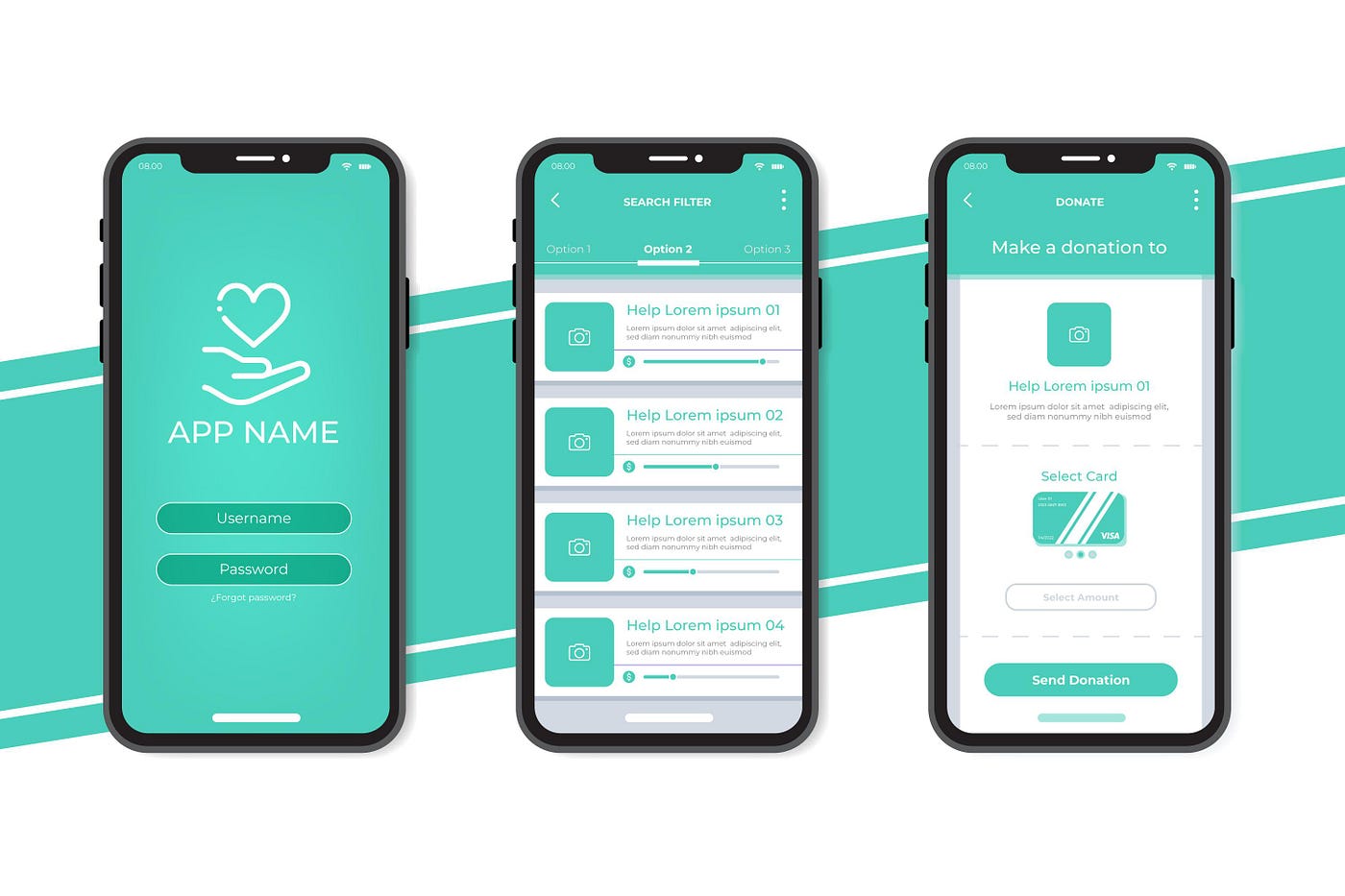
Let’s suppose you are a UX consultant hired by a renowned app development company to refine the UX within the newly formed applications. As you begin to evaluate the existing user interfaces, you will observe technical malfunctions in user interface designs. Inexpert UI designers create a complex interface with difficult features and components that lead to confusing navigation. Cluttered interfaces have inconsistent navigation elements that make the user interface unresponsive and monotonous. UI practitioners observed that increased cognitive load and unoptimized coding methods cause delayed loading times and sluggish interactions that reduce user engagement.
Many users complain of frequent error messages as they try to complete an expected task. It might happen that the application fails to understand user input or run incompatible UI components. User interface specialist examines a lazy error handling and highlights ill-formed error messages and flaws in interface elements. If the app has unfamiliar icons, it makes navigation difficult for users. Since most of the users spend ample time browsing various sites to perform different tasks, they expect that the user interface has an easy navigational pattern. Consequently, a UI analyst identifies the flaws in icons and ensures that the modern app interfaces have standard icons or text label icons. Clear and visible text labels remove ambiguity and communicate the icon’s function.
A poor user interface with low-contrast text, damaged font files, inconsistency in font format, and low screen resolution makes content illegible for visually impaired people. UI experts analyze errors in language, fonts, and screen display and make strategies to improve app rendering. The other layout issues analyzed by a UX/UI designer include misconfiguration of UI elements, limited color palettes and color discrepancies, unappealing aesthetic, and typography.
Mobile Device Companies Boost Their Digital Experience by Overcoming Essential UX Design Errors
Reading this well-informed article helps new mobile development companies and startups know the UX interface inefficiency that leads developers to create a dull user interface. Poor UX/UI with confusing layout, unimpressive visual hierarchy, and inconsistency in design elements causes more app abandonments and high uninstall rates. The app abandonment statistics included in the blog indicate that over 53% of users abandon apps that take an extended time to load. Lack of clarity in the layout structure makes it difficult for users to navigate different sections of the interface.
The blog helps emerging mobile companies to explore the UI design mistakes and challenges. The important aspect that businesses need to know is the importance of user research and personas. Neglecting market research won’t allow businesses to learn about consumers’ changing choices and evolving market trends. Consequently, they fail to align their brand strategy with user personas. Implementing an inadequate design approach prevents designers from keeping a balance between aesthetics and functionality, resulting in a cluttered and confusing UI. Irregularity in UI elements such as unclear fonts, colors, icons, and confusing menus distracts users from navigating the app. Emphasizing the significance of using UI and UX designs to create an intuitive app, the blog calls attention to new mobile app companies to focus on recent trends in UI and UX. Adopt modern apps’ business model and marketing tactics that increase app usability and engagement.
UI and UX Design Services Boost Brand Identity and Elevate Business Growth
Furthermore, the article highlights the need to opt for professional UX design services that create responsive and adaptive UI designs. Leading mobile app development companies, such as Appalphas.com, serving as a UX/UI partner, are offering robust UI/UX design and development services to UI design companies. UI/UX design team, knowing business requirements and user expectations, develops mobile-friendly UI/UX designs for better visual aesthetics and seamless and intuitive user experiences. Upstart mobile phone businesses look for professional application design services that help improve navigation models and content hierarchy.
Experienced UI designers integrate the latest design elements and UX design features into modern UI by developing descriptive and consistent labels and standard icons. Employing accessibility principles and responsive patterns, such as adjusting screen, font size, and color compatibility, helps users to navigate across all sections of the interface flexibly. UX, UI, and front-end specialists develop intuitive design structures that decrease cognitive load and remove redundant visual styles. Outstanding design layout improves user flows and makes smooth transitions between all sections. Collaboration between UI designers, front-end developers, system managers, and UX researchers develops an iterative design approach that meets the evolving needs of businesses. The UI design team analyzes user needs and preferences and changing market trends, and aligns business objectives. Consequently, it enables businesses to respond to market demands, gain a competitive edge, and improve their brand’s identity in the global market. Incorporating adaptability features and creative UI designs further enables businesses to establish their online presence, allowing them to gain high conversions and ROI, and bringing better business outcomes.
Drive Innovation and Boost User Engagement with Appalphas
Proven UI design services help emerging smartphone companies invest in user interface designs to drive brand growth. Incorporating new UI/UX design trends, impressive visual hierarchy, and user-friendly UI components provides a seamless navigation experience using phone screens. Novice app designers gain design and technical experience to create exceptionally designed and aesthetically pleasing user interfaces. User interface designers analyze user needs, choices, and trends that help them to focus on enhancing the visual and artistic aspects of the app.
Moreover, implementing a mobile-first approach allows businesses to optimize and create eye-catching UI/UX designs and develop easy-to-use UI components. Adding visual elements such as motion design, micro interaction, color palettes, typography, animation, and inclusive UI navigational components develops a touch-friendly interface.
Intuitive and user-centric design interface has boosted app interaction globally. A recent statistic provided by buildfire.com states that globally, 6.3 billion people are using a variety of smartphone devices. As mobile app usage has expanded over the years, the download count has increased considerably. It is anticipated that app downloads will reach beyond 299 billion in 2025. Employing innovative and creative UI designs allows mobile app companies to stay updated on industry trends. Continuous innovation in UI trends helps businesses dominate the digital landscape. Introducing new features and emerging UI trends enhances an application’s relevance and usability in the app market.
Mistake 1: Confusing Onboarding
Vague and confusing onboarding UX instructions perplex users. A cluttered UI filled with heavy text, complex text, and difficult language makes it hard for users to grasp specific details and information such as core functionality and features of ser interface. Inept app developers render a sizeable amount of the data in the user interface at the same time, which potentially lowers app usage. Cognitive overload reduces readability, causing users to abandon the app. Similarly, incomplete instructions, such as no skip or exit options, frustrate users as they find no specific guidelines on how to complete the task. Consequently, it leads to an unsound navigational experience.
Solutions: Adopting a Personalized Onboarding Strategy
Effective onboarding implies that app development companies employ personalized onboarding based on user goals or behaviors. The app marketers perform market research to know user motivations, choices, and changing trends. The collected user data enables app developers to simplify the onboarding process by adding relevant and legible content. Moreover, the application programmer integrates accessibility features and user-friendly navigational elements that make application browsing easier. Interactive tutorials that have separate onboarding information for beginners and advanced users provide knowledge of how the app works, the benefits of using the app, and how the app assists users in meeting their desired outcomes. Relevant in-app guidance helps users navigate the app and complete key tasks effectively. Well-designed and advanced onboarding creates clear, concise, and personalized content that provides an intuitive and engaging user experience.
Mistake 2: Weak or Hidden CTAs
A Call to Action (CTA include short, catchy, and actionable phrases that propel users to complete their desired task. Visually pleasing buttons with contrasting colors, appropriate sizes, and striking designs help users experience an intuitive and convenient app navigation. If CTAs are not properly designed, they cause trouble in executing a specific task. As users are unable to access relevant text links within content, they are unable to browse specific pages or complete actions. Moreover, ambiguous and complex language, as well as inconsistent CTAs, make it difficult for users to interact with the content. Lack of visual hierarchy, such as unimpressive design elements, hidden and invisible CTA, is less likely to engage users. CTA buttons hidden with the background cause trouble in clicking the CTA. Weak and inconsistent CTA do not communicate the action to users. As a result, conversion rates get reduced as users lose engagement with apps, and it leads them to abandon the page or task.
Solution: Creating an Engaging CTA
To improve user experiences, the app marketers should use common phrases and easy-to-understand language that catch the audience’s attention. The app developers are required to place CTA properly and ensure CTAs are easily noticeable and visible to the audience. Creating striking and unique CTA implies marketers use clear and legible fonts with contrasting colors, appropriate sizes, and visually appealing designs that help users to explore the interface conveniently. Using text contrast and other accessibility features such as visual size, color, and placement guides visually impaired users to effectively interact with the interface.
Mistake 3: Poor Navigation Structure
Let’s suppose you have created an air booking app. You expected that the app would attract more audience, and they frequently visit the homepage to complete their required task. However, the app fails to capture the audience’s attention due to serious UX flaws in navigational structure. The user interface appeared to be overly complicated, with excessive navigational buttons and an overcrowded menu bar. Excessive pop-ups, overloaded and difficult content, hidden tabs, inconsistent visual design elements, including interface colors, font size, and screens frustrate users from browsing different sections of the interface. Furthermore, not staying up-to-date with agile design trends makes UI and UX dull and fails to meet user expectations. Hence, a cluttered interface and other navigational flaws make the app slow and unresponsive, which increases drop-offs.
Solution: Conducting Rigorous UI Testing Improves Navigation Patterns
Top-notch mobile app development services conduct robust navigation tests. UI testing allows UX designers to know the flaws that app users encounter while surfing the app. Funnel test highlights interaction flow that enables testing experts to know the number of users who successfully clicked and completed their desired task, and the dropout rates. With first click testing, developers learn who initially clicked UI buttons to complete the action. Visual UI testing analyzes visual consistency, such as checking the visibility and clickability of navigational buttons. Assess text box placement and formatting, images, and icons, and validate responsiveness and configuration of the app across different devices.
Usability testing helps developers know the hassles users face while navigating. It includes finding confusing visual elements such as unclear icons, labels, inconsistent color patterns, fonts, animation, and topography. The other flaws detected cover broken links, unoptimized app designs, and complicated mobile navigation patterns aggravate users. As users spend unnecessary time and energy in app browsing apps, they lose motivation, and it leads to app abandonment.
Card sorting helps users to categorize app content and create concise, simple, and comprehensible labels that represent the app feature or component. The language and fonts used should be clear and understandable. Card sorting helps in designing an intuitive and well-structured UI that provides greater control and flexibility to users to complete their required task.
Mistake 4: Inconsistent UI Design
Let’s suppose a user clicks a button or a link on the user interface to gain the required information. Due to slow server and loading time, the page becomes unresponsive and takes ample time to open. The landing page does not display the appropriate information required by users. Moreover, inconsistency in font, color, button style, and other pre-built UI elements reduces user engagement. Another issue that causes difficulty in navigation is a non-sticky main navigation. As users begin exploring the page, the navigation menu doesn’t remain visible at the top of the screen. Consequently, navigating different sections becomes difficult.
Solution: Employ Design Systems and Style Guidelines to Improve the Menu’s Hierarchy
Visual and experiential inconsistencies continue to frustrate users and also reduce app usage. Ensuring smooth and intuitive app navigation requires UI designers to integrate design systems and visual style principles while building a cohesive user interface. UI style guides create relevant design components, such as creating a clear typography. The experts use compatible colors, screen sizes, and simple and readable fonts to be used in body text and captions. UI design system ensures appropriate spacing, stuffing, and placement of interface components, including icons, checkboxes, sliders, and dropdown menus, that leads to seamless navigation. Using Hamburger Menus enables developers to shorten navigation elements into a single icon. It is used on UI with minimalist, simple designs and smaller screens. They reduce visual clutter and boost app discoverability on the Play Store.
The other tools and libraries that help in streamlining the design process include using a sticky navigation bar. It remains visible on the screen, making it easier for the users to scroll down the page. Using responsive design best practices makes the navigation menu accessible for users. Figma libraries allow designers to create and design pre-built components and styles, colors, and typography. Moreover, UI designers modify a user interface component in the library. It includes making relevant changes in coding and interactive elements such as buttons, text areas, checkboxes, icons, and modals. The other reusable UI components comprise adjusting multiple screens, typography, and altering color modes. Thus, employing customized UI components helps designers create well-designed functional interfaces that bring impressive visual impact.
Mistake 5: Overwhelming Permission Requests
The users require access to different device features such as location, camera, contacts, and other components to make permission requests. If the app becomes unresponsive and slow, it leads to permission fatigue. Users feel overwhelmed and frustrated due to delayed permission prompts. Moreover, permission prompts having technical language and jargon make it tough for users to comprehend and make informed decisions. If the app includes overly broad permissions, such as accessing the entire file system, or confusing prompts and vague descriptions fail to give access to the requested information. Lack of clarity and unambiguous language does not allow users to know which prompts are essential or optional.
Solution: Improving App permission requests
To effectively handle UI permission implies that UI developers prioritize user choices and perceptions. The permissions prompts should be presented in the context of the user’s actions. It should be contextually clear, with simple and concise language. The app developers should guide users to control and manage granted permissions within the app settings. Instead of getting agitated with initial permission requests, the users are required to get involved with – friendly two-step opt-in prompt. It improves user experience, allowing users to comprehend the context of the permission request before presenting. As they get familiar with the feature, they make a smooth permission prompt.
To ensure responsive, quick, and user-friendly navigation implies UI designers to minimize requests to prevent long load times and improve application speed and performance. Employing just-in-time permission requests allows users to make permission prompts that are significant. By using the opt-out option, the users refuse permission for that are not essential. Requesting and managing permissions in applications suggests that users navigate their device’s settings and select the specific app permission issue. The users adjust the camera, location, or storage permission. Consequently, resolving access issues allows them to seamlessly interact with the app.
Mistake 6: Ignoring Accessibility
Accessibility design features in mobile applications have become a core requirement for users with disabilities. They flexibly interact with the application using compatible screen readers such as TalkBack on Android or VoiceOver on iOS. The users hear or read the content on-screen. Adjustable font sizes and alt text display textual descriptions and image content that facilitate visually impaired users to interact with the image content. Visual cues and keyboard navigation keep users engaged with the app.
However, many mobile app companies overlook accessibility issues in user interfaces. It includes design and development issues that make app browsing difficult for visual, motor, auditory, and cognitive impairments. For instance, if the user interface background has an unfavorable color contrast. It makes text blur and distorted, which makes hard for users with low vision to read. Similarly, inaccurate Alt Text and applications without keyboard accessibility further cause barriers to cognitive and motor-impaired users to complete their required tasks.
Solution: Improve Usability across Apps and Digital Content
The mobile app companies that have failed to prioritize accessibility needs in mobile apps face potential legal repercussions, financial penalties, and reputational damage. To prevent legal risks, lost revenue, and increase the company’s reputation implies companies to implement WCAG guidelines while designing a mobile app. UI developers will know the essential accessibility features that are required to be integrated into the app to enhance users’ engagement. Another strategy is to use semantic HTML elements that improve the structure and accessibility of the app. Provide screen reader, better quality alt text that demonstrates content images, scalable fonts, and keyboard navigation that offers a consistent navigation experience.
Mistake 7: Cluttered UI with Poor Spacing
Another common error that causes barriers in smooth navigation is a cluttered UI. An unorganized UI with poor spacing leads to a confusing user experience. White space, a fundamental element of UI design, offers proper spacing to improve the visibility of elements on the interface. Display of excessive design elements on a screen makes the interface feel overcrowded. Too many navigational buttons, images, overloaded content, and a lack of visual hierarchy create a visually noisy and confusing interface and make navigation hard for users. Increased cognitive load makes the page unresponsive, which allows users to struggle to complete the required action. Difficulties in navigating make users lose motivation and leave the page or quit using the app. It leads to higher bounce rates.
Solution: Using Whitespace for Visual Breathing Room
To prevent inconsistent spacing, allow application design experts to integrate white space while designing the user interface structure. Employing a grid system helps in determining which elements are essential and removes the optional ones. Moreover, it ensures uniformity and alignment in interface elements and sections of the UI. Breaking up text into smaller chunks displays text clearly, which is easily grasped by users. Incorporating a simple and minimalist interface design creates visual clutter and helps create a functional and visually appealing user interface. Thus, white space leads to an intuitive navigation, brings more clicks, higher leads, and conversions.
Mistake 8: Sluggish Performance
If you have designed a high-quality user interface with agile features, you must ensure that the UI does not have slow transitions and long loading times. Since users expect quick and uninterrupted user interactions, delays in loading time leave a negative impact on users, demotivating them to eliminate using a particular app. Laggy transitions and long load times in applications result from unproductive coding, unnecessary network requests, and poor caching slow down the app speed. The other factors include uncompressed heavy images and media files, too many animations, low RAM, and outdated hardware cause extended load times. Additionally, network congestion and slow internet connectivity slower user interface performance.
Solutions: Strategies for Optimization
The app developers should write clear, simple, and optimized code that minimizes processing time. Compressing heavy images and text reduces file sizes and eliminates loading resources, including images and scripts in the background improve app loading time. Adopting regular caching and optimizing server response times reduces latency and ensures that the content seamlessly reaches across multiple servers. Another strategy, lazy loading, helps developers to load offscreen significant content, including images, videos, and articles that visitors are required to see. Lazy loading reduces the number of images that need to be loaded, which leads to quick browsing.
The UI design team also employs UX techniques to enhance application performance. Skeleton Screens demonstrate a page layout preview before content is loaded. UI designers review the full-page loads and observe the position of text, images, and other components, and fix structural errors. Skeleton screens keep users engaged by explaining the loading process time. Another technique, progress indicators, notify of the completion process. The visual cues displayed in the form of a bar or circle show the task progress, such as uploading, processing, or waiting. Thus, progress indicators prevent unnecessary delays and help in the quick completion of multi-step processes.
Mistake 9: Lack of Feedback on User Actions
Feedback indicates a response provided to the users interacting with the app. A constructive response allows users to know their actions are recognized and processed. A subtle change in button color when clicked, or other visual cues, shows that the user action is acknowledged. Textual feedback informs users that the required file has been uploaded effectively. An instant response allows users to know the error in processing data and helps them fix the issue.
Solution: Create Engaging Feedback for User Actions
Delayed feedback or lack of feedback on user actions causes frustration and confusion as users fail to know whether their action is completed or pending. Therefore, app developers are required to provide consistent feedback patterns to avoid confusion. The feedback, whether textual or contextual, should be clear and legible for users. The feedback should be appropriate to the user’s actions. Development teams should employ simple and uncomplicated language that directly focuses on the user’s current action. Feedback must be noticeable, such as pop-up notifications, use color change buttons, animations, and visually appealing clues.
Mistake 10: Non-Responsive Design
A user interface with lazy responsive designs appears to be dull and absurd. Non-responsive design in application UI includes a fixed width and layout that doesn’t change. With limited functions, the UI fails to disengage users, and it leads to a poor user experience. The other issue users encounter is small text that is unreadable on smaller screens. Images and content hidden off-screen, overlapping interactive elements, and unclear navigational buttons cause an unsuccessful browsing experience.
Solution: Using Responsive Designs for Compelling User Experience
People using various devices and smartphones expect interface components to be more compatible and tailored to their needs and choices. For instance, many users desire to have adjustable screen sizes, scalable fonts, adaptable color patterns, and orientations, and user-friendly navigation buttons that encourage active participation and increase user satisfaction. Incorporating effective responsive design allows designers to generate responsive designs that adapt to various devices and also ensure that interfaces are functional across platforms. Balancing convenience and user interaction maintains app usability. Thus, helps in making UI interactions more dynamic and engaging for users.
Recap
Startup businesses, including mobile app companies, lack UI design experience that enables them to make serious UI design blunders. At the initial stage of app design, inexperienced app marketers skip user research, which won’t allow companies to know potential users’ needs and preferences. Consequently, the developers fail to incorporate designs that resonate with the target audience’s perception. The second error is not prioritizing aesthetics. It leads to inconsistent design elements such as incompatible color patterns, fonts, screen size, icons, and confusing UI components that frustrate users during their navigational journey. The other major issues that prevent smooth app surfing are a cluttered UI with overloaded UI elements, visual clues, and content that overwhelm users and make it difficult to complete their required task. Laggy transitions and long load times, and a lack of providing visual and textual feedback to users during loading reduce users’ engagement.
To streamline the interface (UI) designs, new app developments must seek assistance from professional UI and UX designer services that offer intuitive and engaging app design services. You can opt for Appalphas UX audit or redesign services that facilitate app development firms in creating and designing intuitive, engaging, and aesthetically pleasing applications that improve overall user experience. An in-house UI design team has proficiency in conducting data and user research-driven tasks, engaging in functional and visual designs, establishing visual hierarchy, and integrating accessibility features that lead to more intuitive user interactions. UI designers focus on incorporating a user-centered design approach in creating a striking user interface. They integrate sleek aesthetics such as eye-catching layout designs, color patterns, topography, dynamic animation, and an intuitive navigational menu that ensures that the design meets user requirements and changing trends. Experienced UI UX designers with extraordinary problem-solving abilities analyze the common UI mistakes made by inept designers. The experts at Appalphas assess the interface issues and offer outstanding custom UI UX design solutions based on the requirements of the clients. They perform usability testing and collect user feedback for iterative improvements. Integrate agile app features, gestural interfaces, and visually appealing design elements, clues, and animations that lead to user-friendly and responsive app navigation.
If you desire to know if your app is making these UX mistakes? Contact Appalphas for a free usability audit today! Our proven app design services deliver uncompromising designs, innovative technologies, with iterative solutions that increase your app’s competitiveness in the mobile app market.